
Search by village and player
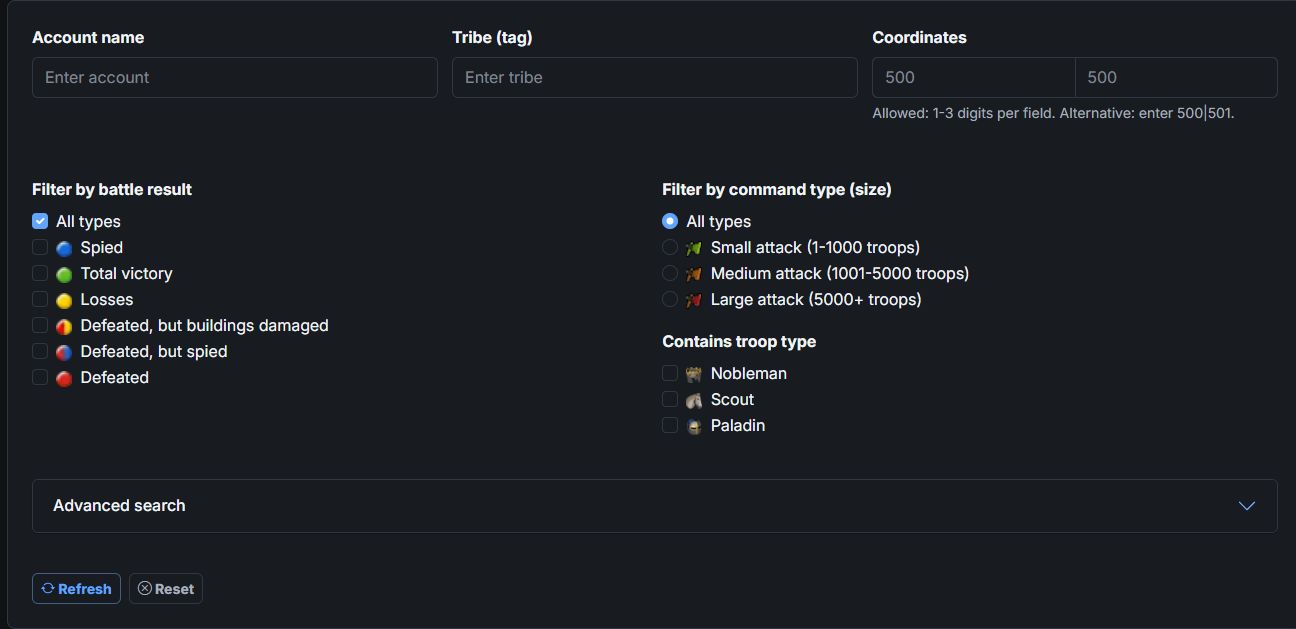
Narrow down reports by account name, tribe and coordinates.
Find the information you need
Reports provide the basis for automatic Off/Def detection and are an important part of attack analysis. The report overview gives you access to the reports imported into your tribe database. Filters help you look up the available knowledge about a player, tribe or village.
Narrow down reports by account name, tribe and coordinates.
Combine Off/Def filters and minimum or maximum troop counts with battle outcome and attack size to find the reports that matter.
Compare battle time, launch time and upload time in the overview.
A separate support report overview is available alongside the battle report search.
The search covers the imported reports available in your tribe database.
Register, choose your game world and create a tribe database or request access to an existing one.